
Yesterday we had a small interruption to our internet. Tim was investigating his newly purchased NETGEAR Powerline Wi-Fi Extender/Access Point Kit (Wi-Fi Booster) (amazon affiliate link) and inadvertently hit a button somewhere along the way and factory reset the much loved netgear router.
This was a bad thing. Particularly as I’d just sat down to do some emails and stuff.
However the worse thing was when he did get the router playing again, it was complete with big blue flashy light. Seriously, who decides, I know, this router looks a bit boring, we’ll make it into a light display? I’m not talking a couple of LEDs along the edge here, it’s a full installation, wouldn’t look out of place on robocop. It sits in our hall, so it’s kind of disturbing, particularly at night when it looks like we’re having a UFO party out there.
Obviously I headed for google. Who recognised the problem (disturbingly) quickly.
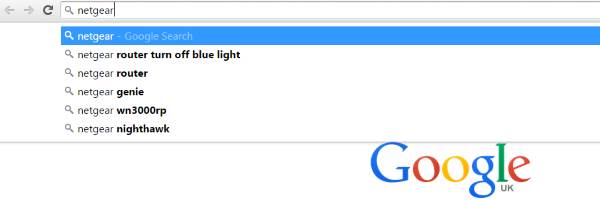
It turns out that this is not a uncommon problem with netgear routers. (And neither is my attitude towards it 😉 )
We found this very helpful netgear forum. For a moment, it looked like the only solutions were duct tape, or assault on the router with a screwdriver (bit drastic!) but thankfully, on page two, there was a more dedicated user, and he determined that three short taps on the dome (which we interpret as being the light cover, our router being a subtly different model from the one mentioned in the forum) turned the light off, without having to downgrade and upgrade firmware, or fiddle with the WPS settings (what they?) or anything else.
It’s working so far. Fingers crossed, it stays that way. And if anyone from netgear is reading, the routers work great, but as routers. The light show isn’t quite as appreciated, so cut it out in future would you? Ta.




Leave a Reply