
When using Amazon prime to stream video for your offspring, set a PIN against inadvertent purchases so that you do not receive emails telling you you’ve just paid £44 for Dora the Explorer that they should have been streaming for free.
(Log in to your account, scroll down to the digital content section, there’s an option to set a PIN, and some parental control settings. See amazon help for more details. Note it mentions 1 click settings, I didn’t have this activated but got stung because I had gift vouchers on the account. )
Also, ensure aforementioned offspring can tell the difference between a big green watch now button and a slightly smaller orange buy now button.
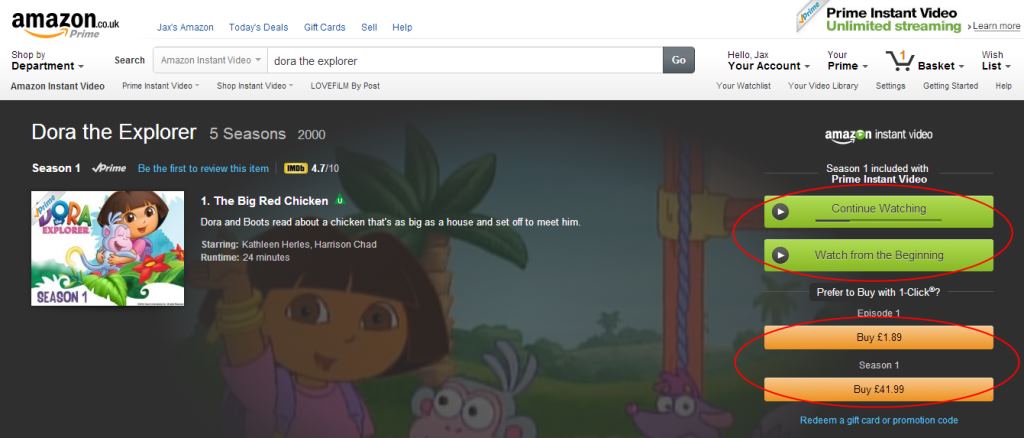
I admit I cried when I got the order emails. £44 on something they could be watching already paid for! But I called Amazon immediately and they refunded the amounts and explained the PIN setting.
You have been warned.



Leave a Reply